Reading the listing…
Pulling metadata, screenshots and recent reviews from the App Store.
Reading the listing…
Pulling metadata, screenshots and recent reviews from the App Store.

The Workforce Engagement App · Legion Technologies Inc.
Well optimised. What's left is fine-tuning.
Land the top 3 fixes below and this listing reaches 90/100 · 7,964 m (Summit Ridge).
6,902 mOrdered by how many points each one adds to the score. Start at the top.
4/10 iPhone screenshots.
Add 4 more. Each screenshot is a free ad panel: one benefit per panel, caption in large type.
0 iPad screenshots.
The app runs on iPad but shows few or no iPad screenshots. iPad visitors see a weaker listing.
Repeats title words: “workforce”, “engagement”.
Apple counts a word once across title, subtitle and keyword field. Replace “workforce”, “engagement” with words you do not rank for yet.
On iOS, only the title, subtitle and hidden keyword field count for search. The description does not. Words you only mention there are invisible.
3 unique words. Apple combines them, so “budget” and “planner” also rank for “budget planner”.
The description keeps coming back to these, but the title and subtitle skip them. Check each one in Keyword Scout and move the winners into the keyword field.
Live position in Apple's search results. Checks are saved in this browser, so the next visit shows what moved.
Positions come from Apple's public search API and can differ by a few places from what a phone shows.
The first three do most of the selling: they appear directly in search results. Read them as a stranger would, in two seconds.
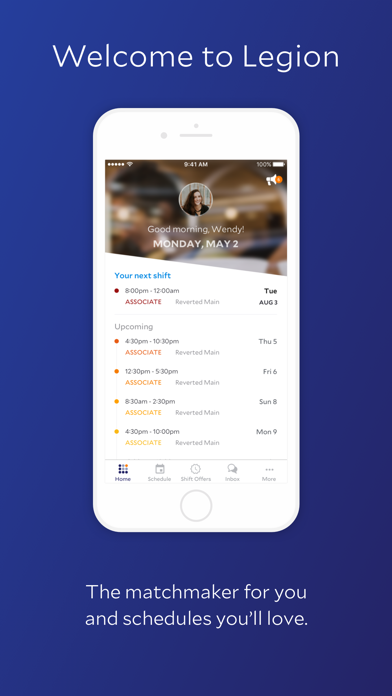 1 · in search
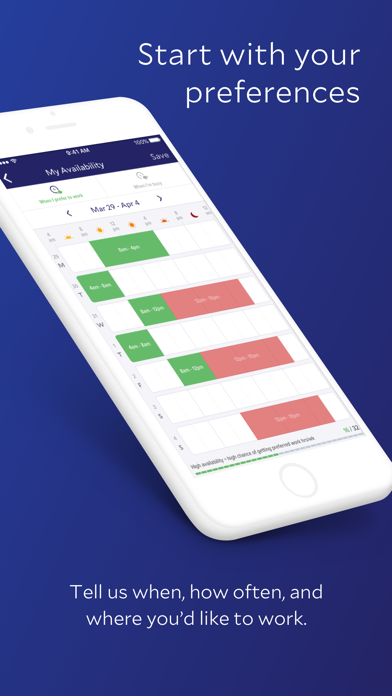 2 · in search
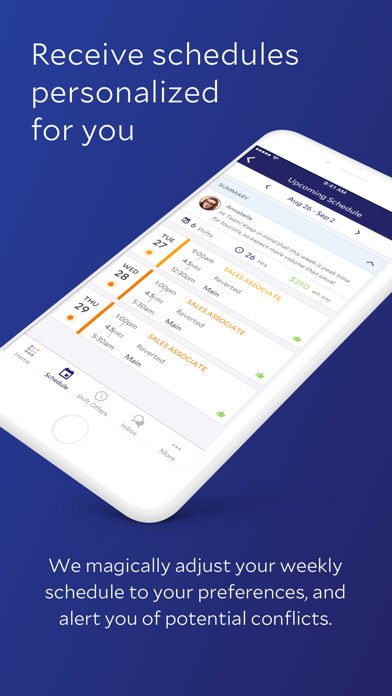 3 · in search
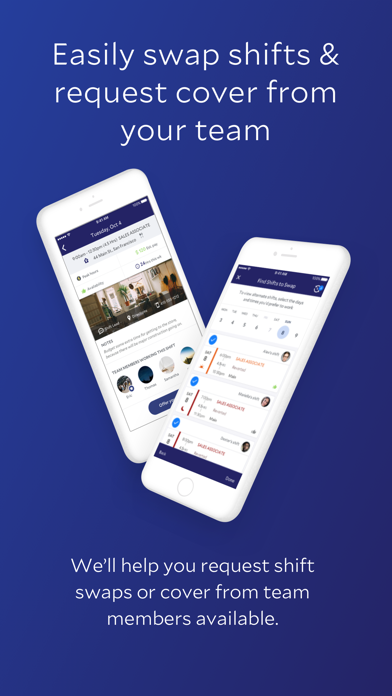 4
4Grouped by theme from the most recent written reviews. Run this on a competitor and the complaints become your feature list.
Reads the recent reviews in any language and tells you what to fix, and what a competitor could exploit.
All-time: 91% five-star across 80K ratings.
Apps Apple shows next to this one, run through the same audit.
Metadata Studio checks character limits, wasted words and keyword coverage as you type.
Audit of the public listing as of today. The hidden 100-character keyword field cannot be read from outside App Store Connect, so it is not scored.
First paragraph is 415 characters.
Only about three lines show before “more”. Put the single strongest benefit in the first 170 characters.
0 bullet lines, 0 paragraph breaks.
Break the wall of text into short sections with bullets. People skim listings on a phone.
No user counts, press or awards mentioned.
Add one line of proof near the top: user count, rating, a press quote or an Apple feature.
Three title and subtitle options plus a keyword field, each checked against Apple's character limits.
“Logged once to re set up and app crashed. Go to notifications? Using IPhone 15 plus. Started all over, login, approve with code, crashes.”
“I’ve only used it once. And after I had been charged for my fee the money I had remaining didn’t go to my bank account I created a ticket and haven’t heard from them sinc…”
“Every check I am charged for a transfer I did not make only for the balance to be available as a transfer amount equal to the missing amount, then it is charged again the…”
“Cumbersome UI and slow even on new phones.”
“Yea getting your money instantly is cool but getting charged $2.99 for every transfer is annoying and it gives you an option to change bank information but doesn’t tell y…”
“This app is so simple to use by all staff & mgmt. All the functionality necessary is included AND easy to read. I have used others, this app is the best!!”
“Legion has helped me with a lot and especially remembering. It’s best for timing everything and helping managers or coworkers out. Five stars from me!”
“This app is so much better than most apps for other companies that use this type of system i keep finding more convenient options and way better detail to things LOVVVEEE…”
“seriously the best app ive had to use for work schedules & availability. smooth on everything and i wish this was the standard. i will miss this app now that i am moving …”
“Love the app, love the countdown when you’re on lunch the only issue is you have to continuously go to the app to see where you’re at in your lunch. It would be nice to see it on your home screen like when you’re at an a…”
“I wish it like sent reminders to the phone”
“Great app- i just wish it was available to sync my upcoming shifts to my google calendar and not JUST apple calendar”


