Reading the listing…
Pulling metadata, screenshots and recent reviews from the App Store.
Reading the listing…
Pulling metadata, screenshots and recent reviews from the App Store.
Well optimised. What's left is fine-tuning.
Land the top 3 fixes below and this listing reaches 93/100 · 8,230 m (Summit Ridge).
 7,433 m
Ordered by how many points each one adds to the score. Start at the top.
3 languages.
Each localisation adds a new title, subtitle and 100-character keyword field. Even without translating the app, localise the listing for ES, DE, FR, PT-BR and JA.
Last 34 written reviews average 3.1★.
Recent written reviews trend negative, and they are the first ones visitors read. Reply to them and fix the top complaint (see Review Radar below).
6/10 iPhone screenshots.
Add 2 more. Each screenshot is a free ad panel: one benefit per panel, caption in large type.
On iOS, only the title, subtitle and hidden keyword field count for search. The description does not. Words you only mention there are invisible.
4 unique words. Apple combines them, so “budget” and “planner” also rank for “budget planner”.
The first three do most of the selling: they appear directly in search results. Read them as a stranger would, in two seconds.
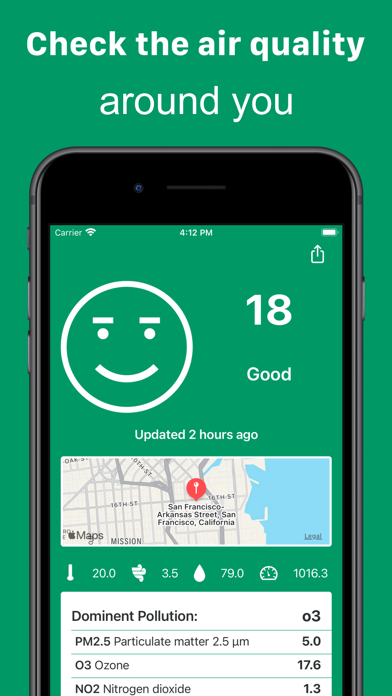 1 · in search
 2 · in search
 3 · in search
 4
4
Grouped by theme from the most recent written reviews. Run this on a competitor and the complaints become your feature list.
Reads the recent reviews in any language and tells you what to fix, and what a competitor could exploit.
Apps Apple shows next to this one, run through the same audit.
Metadata Studio checks character limits, wasted words and keyword coverage as you type.
Audit of the public listing as of today. The hidden 100-character keyword field cannot be read from outside App Store Connect, so it is not scored.
Generic notes: “• Smoother, more polished experience throughout the app • Faster acces…”
“Bug fixes and improvements” tells existing users nothing. Name what changed: it is free re-engagement copy shown in the Updates tab.
First paragraph is 33 characters.
Lead with one clear benefit sentence. It is the only part most visitors read.
No user counts, press or awards mentioned.
Add one line of proof near the top: user count, rating, a press quote or an Apple feature.
Three title and subtitle options plus a keyword field, each checked against Apple's character limits.
The description keeps coming back to these, but the title and subtitle skip them. Check each one in Keyword Scout and move the winners into the keyword field.
Live position in Apple's search results. Checks are saved in this browser, so the next visit shows what moved.
Positions come from Apple's public search API and can differ by a few places from what a phone shows.
 6
6“The app is okay but there’s no explanation on what all the different levels mean and you need to do your own homework on what’s considered safe levels. It’s bare bones.”
“All I get is an error message saying it’s not the right format, whatever that means. Deleting this app for something that works. I live in California and need this inform…”
“This ad displays that the app shows NO2 levels. It does not.”
“The app clarifies why on some days my breathing is more labored than others. Green is always good to go. Most useful for those with any breathing related issues. Thanks �…”
“Knowing and taking action is the key to surviving and thriving! Filter your air because a new set of healthy lungs 🫁 are not easy to acquire these days!”
“Hello. I love this app and the information it gives. My iPhone XS Max is fully up to date and works great. Lately the app itself has been saying “error” and “data could n…”
“Why this app has to pay for update? This app should be free to help people to aware of their health to protect themselves.”
“I wish the app knew how to correctly spell British Columbia! Other than that very useful and helpful information.”
“No option to set English/American units like degrees Fahrenheit, miles per hour, etc.”
“Please add notification function, so I can see index any time.”
7,433 mApple did not list any similar apps for this one.