Reading the listing…
Pulling metadata, screenshots and recent reviews from the App Store.
Reading the listing…
Pulling metadata, screenshots and recent reviews from the App Store.
Well optimised. What's left is fine-tuning.
Land the top 3 fixes below and this listing reaches 91/100 · 8,053 m (Summit Ridge).
 7,079 m
Ordered by how many points each one adds to the score. Start at the top.
4/10 iPhone screenshots.
Add 4 more. Each screenshot is a free ad panel: one benefit per panel, caption in large type.
Generic notes: “improve user experience and fix bugs.”
“Bug fixes and improvements” tells existing users nothing. Name what changed: it is free re-engagement copy shown in the Updates tab.
7 languages.
Each localisation adds a new title, subtitle and 100-character keyword field. Even without translating the app, localise the listing for ES, DE, FR, PT-BR and JA.
On iOS, only the title, subtitle and hidden keyword field count for search. The description does not. Words you only mention there are invisible.
3 unique words. Apple combines them, so “budget” and “planner” also rank for “budget planner”.
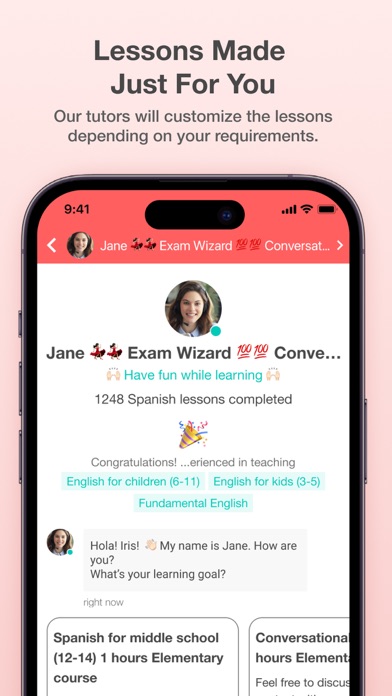
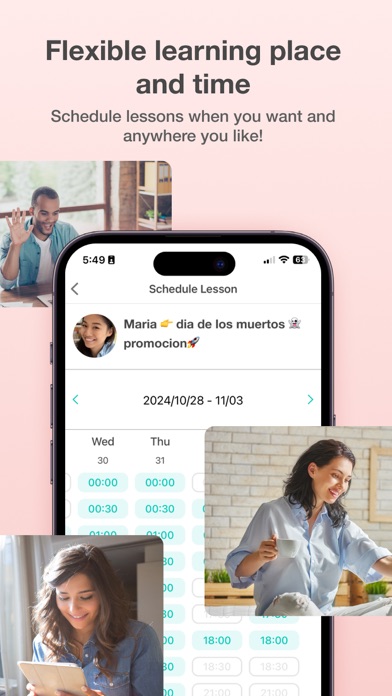
The first three do most of the selling: they appear directly in search results. Read them as a stranger would, in two seconds.
 1 · in search
 2 · in search
 3 · in search
 4
4Grouped by theme from the most recent written reviews. Run this on a competitor and the complaints become your feature list.
Reads the recent reviews in any language and tells you what to fix, and what a competitor could exploit.
Apps Apple shows next to this one, run through the same audit.
Metadata Studio checks character limits, wasted words and keyword coverage as you type.
Audit of the public listing as of today. The hidden 100-character keyword field cannot be read from outside App Store Connect, so it is not scored.
1,870 ratings.
Rating volume feeds ranking and trust. Add an in-app prompt at a positive moment; most apps collect 1 to 3 percent of active users this way.
3 iPad screenshots.
The app runs on iPad but shows few or no iPad screenshots. iPad visitors see a weaker listing.
No user counts, press or awards mentioned.
Add one line of proof near the top: user count, rating, a press quote or an Apple feature.
Three title and subtitle options plus a keyword field, each checked against Apple's character limits.
The description keeps coming back to these, but the title and subtitle skip them. Check each one in Keyword Scout and move the winners into the keyword field.
Live position in Apple's search results. Checks are saved in this browser, so the next visit shows what moved.
Positions come from Apple's public search API and can differ by a few places from what a phone shows.
“I noticed that when you’re trying to offer a customized course to a student, you can tap “Course” to create one, but the duration comes out as 10 min no matter what you c…”
“Only after binding the mailbox, my mailbox will receive a large number of mail messages from recommended teachers every day.I found it in the settings, and I can't cancel…”
“This app has been difficult from the beginning and just gets worse the more you use it. Interface is dysfunctional and there are so many kinks and bugs with the app. Thei…”
“Amazing Talker must be doing some fake review trickery, because there’s no way this is accurate after the experience I’ve had. Also, you’ll see many 1-star reviews from t…”
“I stumbled upon this app just looking for language teachers. It was really easy to search and filter options and within 10 minutes I booked 4 different ones to try out.”
“My child(5 years old)likes her class and enjoy. She prepares really well with her presentation for the class. She knows what student needs to help. I Appreciate her.”
“Basically a great app but the flow is difficult because you need to go backwards to advance through it. A good workflow analysis can really help. Update: 4.5 stars after…”
“My fiancé referred me to AmazingTalker when I wanted to learn Spanish and I cannot believe how awesome this app/website is! It took me a little bit to find the right tuto…”
“Basically a great app but the flow is difficult because you need to go backwards to advance through it. A good workflow analysis can really help. Update: 4.5 stars after reviewing the recording feature for lessons which…”
“My child(5 years old)likes her class and enjoy. She prepares really well with her presentation for the class. She knows what student needs to help. I Appreciate her.”


