Reading the listing…
Pulling metadata, screenshots and recent reviews from the App Store.
Reading the listing…
Pulling metadata, screenshots and recent reviews from the App Store.
Well optimised. What's left is fine-tuning.
Land the top 3 fixes below and this listing reaches 88/100 · 7,787 m (Summit Ridge).
 6,637 m
Ordered by how many points each one adds to the score. Start at the top.
1 language.
Each localisation adds a new title, subtitle and 100-character keyword field. Even without translating the app, localise the listing for ES, DE, FR, PT-BR and JA.
0 iPad screenshots.
The app runs on iPad but shows few or no iPad screenshots. iPad visitors see a weaker listing.
193 characters.
Aim for 900+ characters covering features, use cases and proof. It is not indexed on iOS, but it is indexed by Google and it closes undecided visitors.
On iOS, only the title, subtitle and hidden keyword field count for search. The description does not. Words you only mention there are invisible.
3 unique words. Apple combines them, so “budget” and “planner” also rank for “budget planner”.
The description keeps coming back to these, but the title and subtitle skip them. Check each one in Keyword Scout and move the winners into the keyword field.
Live position in Apple's search results. Checks are saved in this browser, so the next visit shows what moved.
Positions come from Apple's public search API and can differ by a few places from what a phone shows.
The first three do most of the selling: they appear directly in search results. Read them as a stranger would, in two seconds.
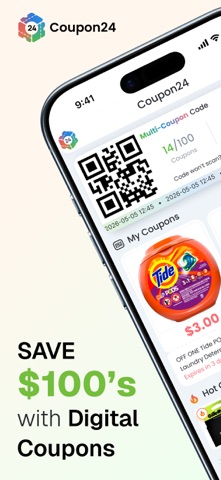 1 · in search
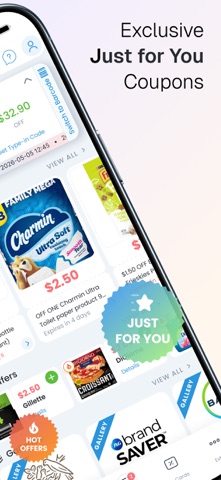 2 · in search
 3 · in search
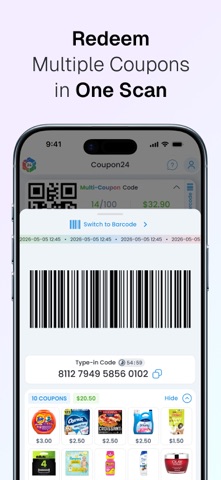 4
4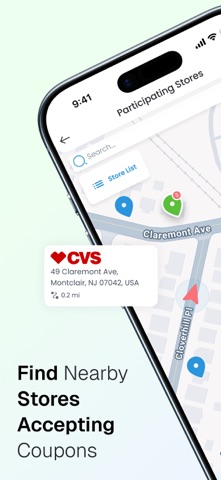 5
5Grouped by theme from the most recent written reviews. Run this on a competitor and the complaints become your feature list.
Reads the recent reviews in any language and tells you what to fix, and what a competitor could exploit.
Apps Apple shows next to this one, run through the same audit.
Metadata Studio checks character limits, wasted words and keyword coverage as you type.
Audit of the public listing as of today. The hidden 100-character keyword field cannot be read from outside App Store Connect, so it is not scored.
6/10 iPhone screenshots.
Add 2 more. Each screenshot is a free ad panel: one benefit per panel, caption in large type.
0 bullet lines, 0 paragraph breaks.
Break the wall of text into short sections with bullets. People skim listings on a phone.
Generic notes: “app usability improvements”
“Bug fixes and improvements” tells existing users nothing. Name what changed: it is free re-engagement copy shown in the Updates tab.
Three title and subtitle options plus a keyword field, each checked against Apple's character limits.

“Literally downloaded the app and added my number to verify my account and resent the code 4 TIMESSS!!!!. And still haven’t gotten it… anyways I deleted it”
“The app is great when it works but how come I never get the $5 off any p&g product like so many others do? I’ve deleted the app so many times but never get the good coupo…”
“At the beginning the app worked great but for the past 2 weeks it hasn’t let me clip any of the coupons and error keeps showing up and now I sing out and trying to sign b…”
“The coupons are good but there is only one store that I’m able to use them at and it’s CVS. They need to add more stores.”
“Unable to use the app because they seem to think my US cell number is internet based”
“First time using the Coupons 24 app and it worked like a chance highly recommend”
“Coupon24 helps me stay on budget while also stocking up on my household essentials. I recommend this app to anyone shopping at CVS! It definitely creates a loyal customer…”
“It works just like it said, saved $5 on Charmin, and additional $4 that I had off the CVS app! Thank you!!!”
“I really like using this app. I wish it was available for more stores in my area.”
“I absolutely love coupon 24! I wish more stores accepted it, but cvs does, and that’s my favorite place to shop. Thank you coupon 24 for ease of access!”
6,637 mApple did not list any similar apps for this one.