Reading the listing…
Pulling metadata, screenshots and recent reviews from the App Store.
Reading the listing…
Pulling metadata, screenshots and recent reviews from the App Store.
Well optimised. What's left is fine-tuning.
Land the top 3 fixes below and this listing reaches 94/100 · 8,318 m (Summit Ridge).
 7,256 m
Ordered by how many points each one adds to the score. Start at the top.
1 language.
Each localisation adds a new title, subtitle and 100-character keyword field. Even without translating the app, localise the listing for ES, DE, FR, PT-BR and JA.
Last 40 written reviews average 1.6★.
Recent written reviews trend negative, and they are the first ones visitors read. Reply to them and fix the top complaint (see Review Radar below).
First screenshot is landscape.
Search results show three portrait screenshots but only one landscape. Lead with portrait unless the app is a landscape game.
On iOS, only the title, subtitle and hidden keyword field count for search. The description does not. Words you only mention there are invisible.
4 unique words. Apple combines them, so “budget” and “planner” also rank for “budget planner”.
The first three do most of the selling: they appear directly in search results. Read them as a stranger would, in two seconds.
 1 · in search
 2 · in search
 3 · in search
 4
4
Grouped by theme from the most recent written reviews. Run this on a competitor and the complaints become your feature list.
Reads the recent reviews in any language and tells you what to fix, and what a competitor could exploit.
Apps Apple shows next to this one, run through the same audit.
Metadata Studio checks character limits, wasted words and keyword coverage as you type.
Audit of the public listing as of today. The hidden 100-character keyword field cannot be read from outside App Store Connect, so it is not scored.
6/10 iPhone screenshots.
Add 2 more. Each screenshot is a free ad panel: one benefit per panel, caption in large type.
2 bullet lines, 14 paragraph breaks.
Break the wall of text into short sections with bullets. People skim listings on a phone.
215 MB.
Large downloads lose installs on cellular and in low-storage markets. Use on-demand resources and trim bundled assets.
Three title and subtitle options plus a keyword field, each checked against Apple's character limits.
The description keeps coming back to these, but the title and subtitle skip them. Check each one in Keyword Scout and move the winners into the keyword field.
Live position in Apple's search results. Checks are saved in this browser, so the next visit shows what moved.
Positions come from Apple's public search API and can differ by a few places from what a phone shows.
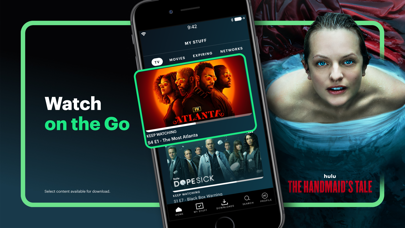 6
6“thanks for the 2 minute ads and for when i accidently start the episode from the beginning and you torture me with another set of ads just to get back to my spot”
“There's actually no reason i should still have ads even though im paying a monthly subscription for Hulu. it's completely stupid. 4 or 5 ads every 10 minutes? seriously?”
“I legit wish I could give this app negative stars. It’s getting worse with every update and now I can’t even record NFL games. Not worth the $$ please pick any other stre…”
“Downloaded shows before a flight. Got on the plane and watched all the shows I downloaded disappear. The offline experience is broken”
“Ive never used a service so incredibly slow and whoever thought it’d be a good to make it to where when I rewind 10 seconds Hulu fast forwards 30 seconds needs to be fire…”
No recurring praise in recent 4–5★ reviews.


