Reading the listing…
Pulling metadata, screenshots and recent reviews from the App Store.
Reading the listing…
Pulling metadata, screenshots and recent reviews from the App Store.
Solid listing with a few clear gaps to close.
Land the top 3 fixes below and this listing reaches 78/100 · 6,902 m (High Camp).
 5,132 m
Ordered by how many points each one adds to the score. Start at the top.
3/10 iPhone screenshots.
Add 5 more. Each screenshot is a free ad panel: one benefit per panel, caption in large type.
11/30 characters used.
The title is the heaviest ranking field. You have 19 characters unused: add your strongest keyword after the name, e.g. “EZ Receipts: <main keyword>”.
Title is the name alone.
Nobody searches for a name they have never heard of. Append what the app does in the words people type (“Habit Tracker”, “Budget Planner”).
On iOS, only the title, subtitle and hidden keyword field count for search. The description does not. Words you only mention there are invisible.
2 unique words. Apple combines them, so “budget” and “planner” also rank for “budget planner”.
The description keeps coming back to these, but the title and subtitle skip them. Check each one in Keyword Scout and move the winners into the keyword field.
Live position in Apple's search results. Checks are saved in this browser, so the next visit shows what moved.
Positions come from Apple's public search API and can differ by a few places from what a phone shows.
The first three do most of the selling: they appear directly in search results. Read them as a stranger would, in two seconds.
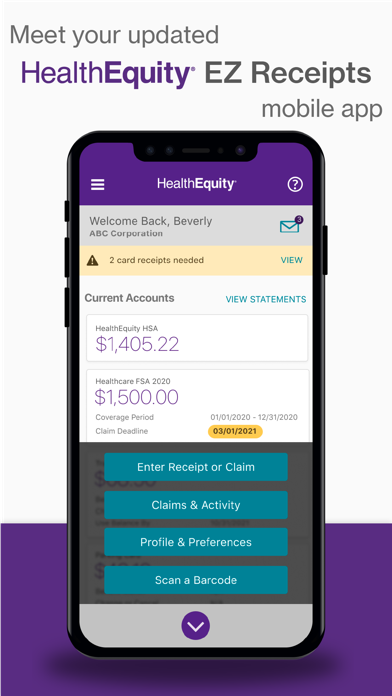 1 · in search
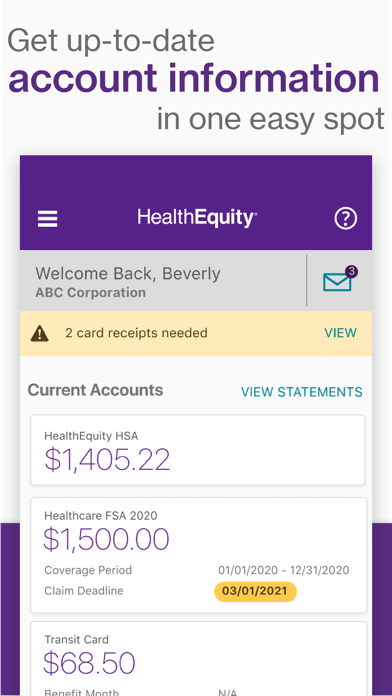 2 · in search
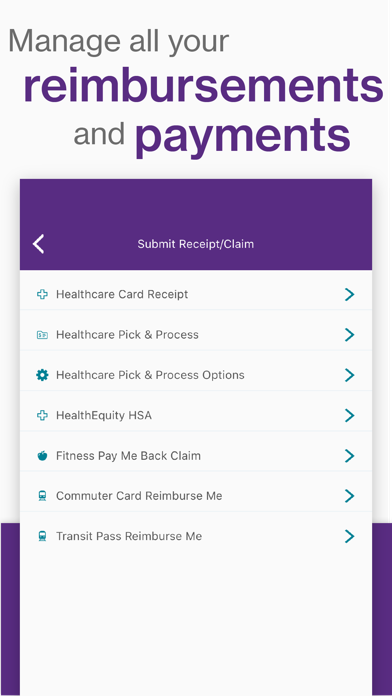 3 · in search
Grouped by theme from the most recent written reviews. Run this on a competitor and the complaints become your feature list.
Reads the recent reviews in any language and tells you what to fix, and what a competitor could exploit.
All-time: 82% five-star across 78K ratings.
Apps Apple shows next to this one, run through the same audit.
Metadata Studio checks character limits, wasted words and keyword coverage as you type.
Audit of the public listing as of today. The hidden 100-character keyword field cannot be read from outside App Store Connect, so it is not scored.
1 language.
Each localisation adds a new title, subtitle and 100-character keyword field. Even without translating the app, localise the listing for ES, DE, FR, PT-BR and JA.
Last 40 written reviews average 1.3★.
Recent written reviews trend negative, and they are the first ones visitors read. Reply to them and fix the top complaint (see Review Radar below).
12/30 characters used.
18 characters unused. Fit one more keyword phrase in.
Three title and subtitle options plus a keyword field, each checked against Apple's character limits.
“Trying to login it asks for a username only, and entering your username it says you have to enter both your username and password, but there’s no password field.”
“This app used to be great. But for the past few months I’m not even able to sign in. Keep getting a “We’re experiencing technical difficulties” error. But the site works …”
“Holy drop the ball. It’s apparently been months and they’re just playing around with our money!!! FIX THE APP, do you have mouses for developers over there??”
“If there was a half star I would have given it. The mobile app that was refreshed 2 weeks ago doesn’t work. Please fix it. Customer service has no idea why it doesn’t wor…”
“Recent update broke the login screen on iOS - there’s nowhere to enter password. It was always clunky having to log in and out to upload multiple receipts/documentation.…”
“I like the app. It saves me a lot of time. One new feature I would like to see is, on the Claims and Activities page, add a button to allow me to remove an old claim re…”
“I like the app. It saves me a lot of time. One new feature I would like to see is, on the Claims and Activities page, add a button to allow me to remove an old claim request that was sent long time ago. It was an inva…”


