Reading the listing…
Pulling metadata, screenshots and recent reviews from the App Store.
Reading the listing…
Pulling metadata, screenshots and recent reviews from the App Store.

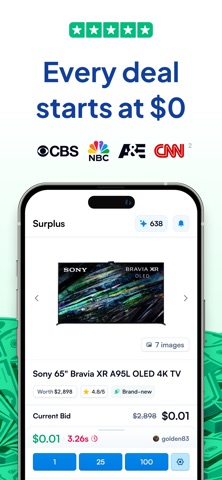
Explore gov and retail surplus · Auctions
Well optimised. What's left is fine-tuning.
Land the top 3 fixes below and this listing reaches 97/100 · 8,584 m (Summit Ridge).
7,522 mOrdered by how many points each one adds to the score. Start at the top.
4/10 iPhone screenshots.
Add 4 more. Each screenshot is a free ad panel: one benefit per panel, caption in large type.
1 language.
Each localisation adds a new title, subtitle and 100-character keyword field. Even without translating the app, localise the listing for ES, DE, FR, PT-BR and JA.
Repeats title words: “surplus”.
Apple counts a word once across title, subtitle and keyword field. Replace “surplus” with words you do not rank for yet.
On iOS, only the title, subtitle and hidden keyword field count for search. The description does not. Words you only mention there are invisible.
7 unique words. Apple combines them, so “budget” and “planner” also rank for “budget planner”.
The first three do most of the selling: they appear directly in search results. Read them as a stranger would, in two seconds.
 1 · in search
 2 · in search
 3 · in search
 4
4Grouped by theme from the most recent written reviews. Run this on a competitor and the complaints become your feature list.
Reads the recent reviews in any language and tells you what to fix, and what a competitor could exploit.
All-time: 91% five-star across 21K ratings.
Apps Apple shows next to this one, run through the same audit.
Metadata Studio checks character limits, wasted words and keyword coverage as you type.
Audit of the public listing as of today. The hidden 100-character keyword field cannot be read from outside App Store Connect, so it is not scored.
First paragraph is 317 characters.
Only about three lines show before “more”. Put the single strongest benefit in the first 170 characters.
Last 40 written reviews average 3.9★.
Recent written reviews trend negative, and they are the first ones visitors read. Reply to them and fix the top complaint (see Review Radar below).
Three title and subtitle options plus a keyword field, each checked against Apple's character limits.
The description keeps coming back to these, but the title and subtitle skip them. Check each one in Keyword Scout and move the winners into the keyword field.
Live position in Apple's search results. Checks are saved in this browser, so the next visit shows what moved.
Positions come from Apple's public search API and can differ by a few places from what a phone shows.
“I saw an ad for this website and it looks like a total scam. They’re asking $30 upfront. I’m gonna delete my account just use eBay or Vinted. Scam.”
“Very scammy. Now I’ve been charged $30 and don’t know why. Not to mention I deleted the account within an hour of looking at it. I didn’t just delete the app I went …”
“They make it seem like an auction site but in reality they are scamming you into paying for the ability to bid. Every time you make a bid, you have to pay money and they …”
“They tried pulling funds when I didn’t even buy anything. Luckily I caught the transaction pending on my bank account and deleted my info.”
“Just after you sign up, the app charges $30 to your card, crediting you with points. You can only get a refund by contacting customer support. Auctions continues on indef…”
“Everything is super easy to use and I’m always able to find a good deal!”
“Free shipping is exciting”


